
Wedding photo sharing, made simple
Collect every wedding photo and video your guests take.
Create a private gallery and share one QR code. Guests scan it and upload straight from their phones in seconds.
No app · No guest account · Free to try
Upload up to 5 test photos. No credit card required.
The simple version
Your guests take the photos. Snap the Knot brings them together.
Instead of chasing camera rolls after the wedding, give everyone one easy place to send the moments they captured.
Easy for every guest
The QR code opens in their browser. They choose photos or videos and upload—nothing to install and no account to make.
Private and organized for you
Everything arrives in your gallery, ready to view, share, or download.
Automatic photo checks, only if you want them
Turn on optional AI moderation to screen new photos automatically. Only flagged photos need your review before appearing in shared galleries or on the Live Photo Wall.
Explore photo moderationOne place for the whole celebration
Keep the bridal shower, rehearsal dinner, wedding day, and other events in separate galleries with their own QR codes. Paid gallery access starts as soon as you upgrade and lasts until one year after your wedding date. The year is counted from your wedding date, not your purchase date. Start collecting engagement party, shower, and rehearsal dinner memories early.
How it works
From their camera rolls to your private gallery.
Guests scan, share their best moments, and everything arrives in one private gallery for you.
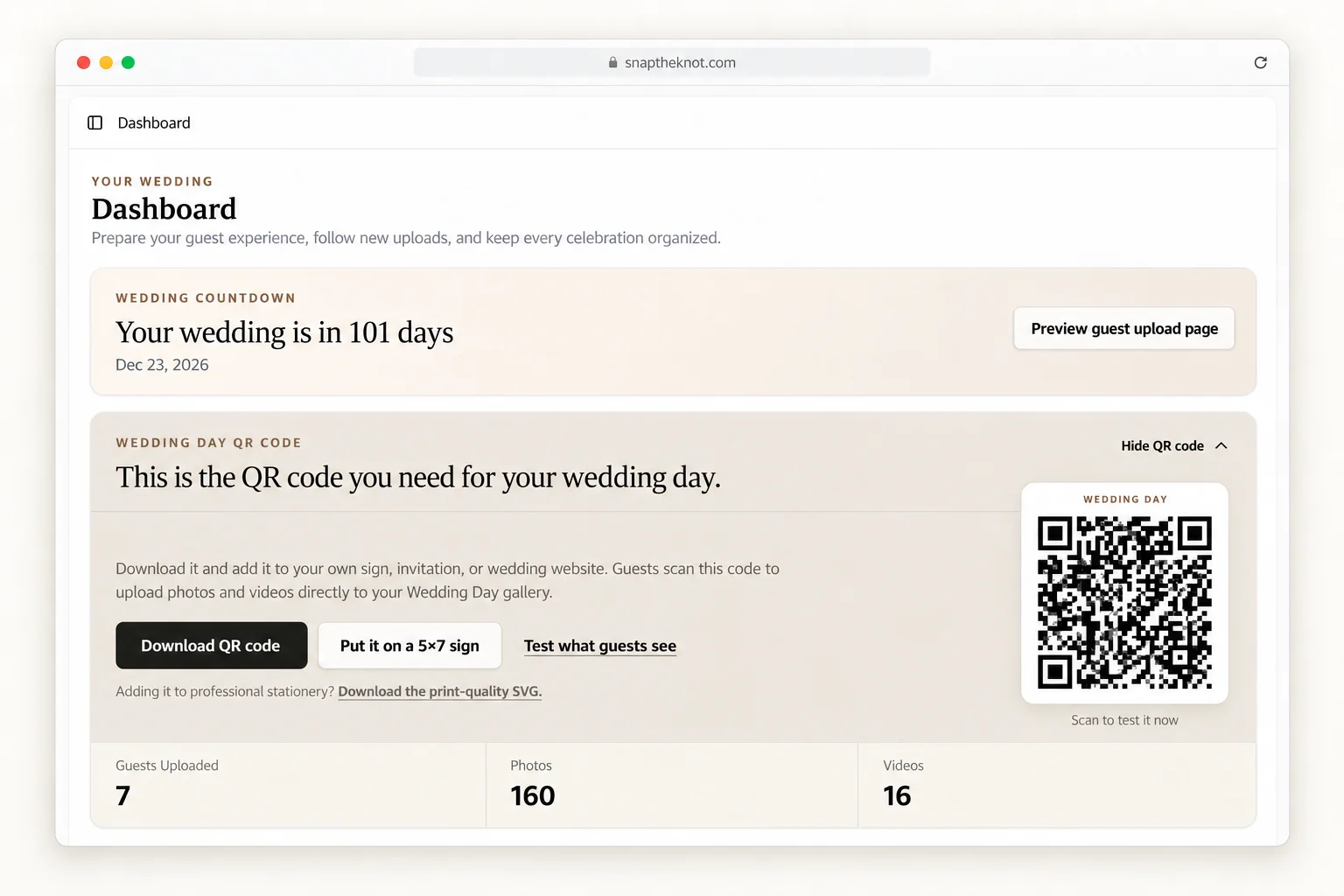
Guests scan your QR code
Place it on a welcome sign, table card, or invitation. No app or guest account is required.
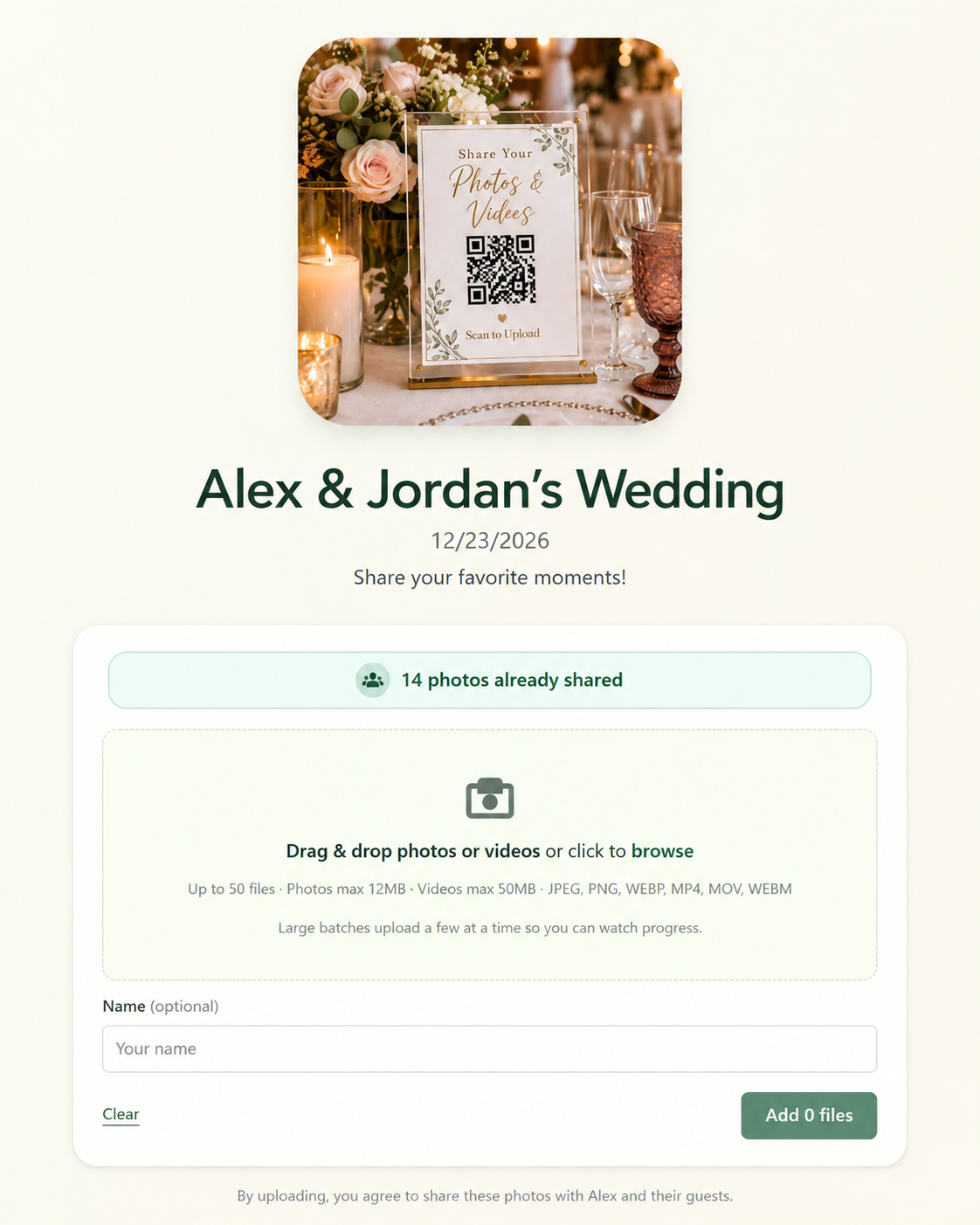
They upload in seconds
Guests choose photos or videos directly from their phones while the celebration is still happening.
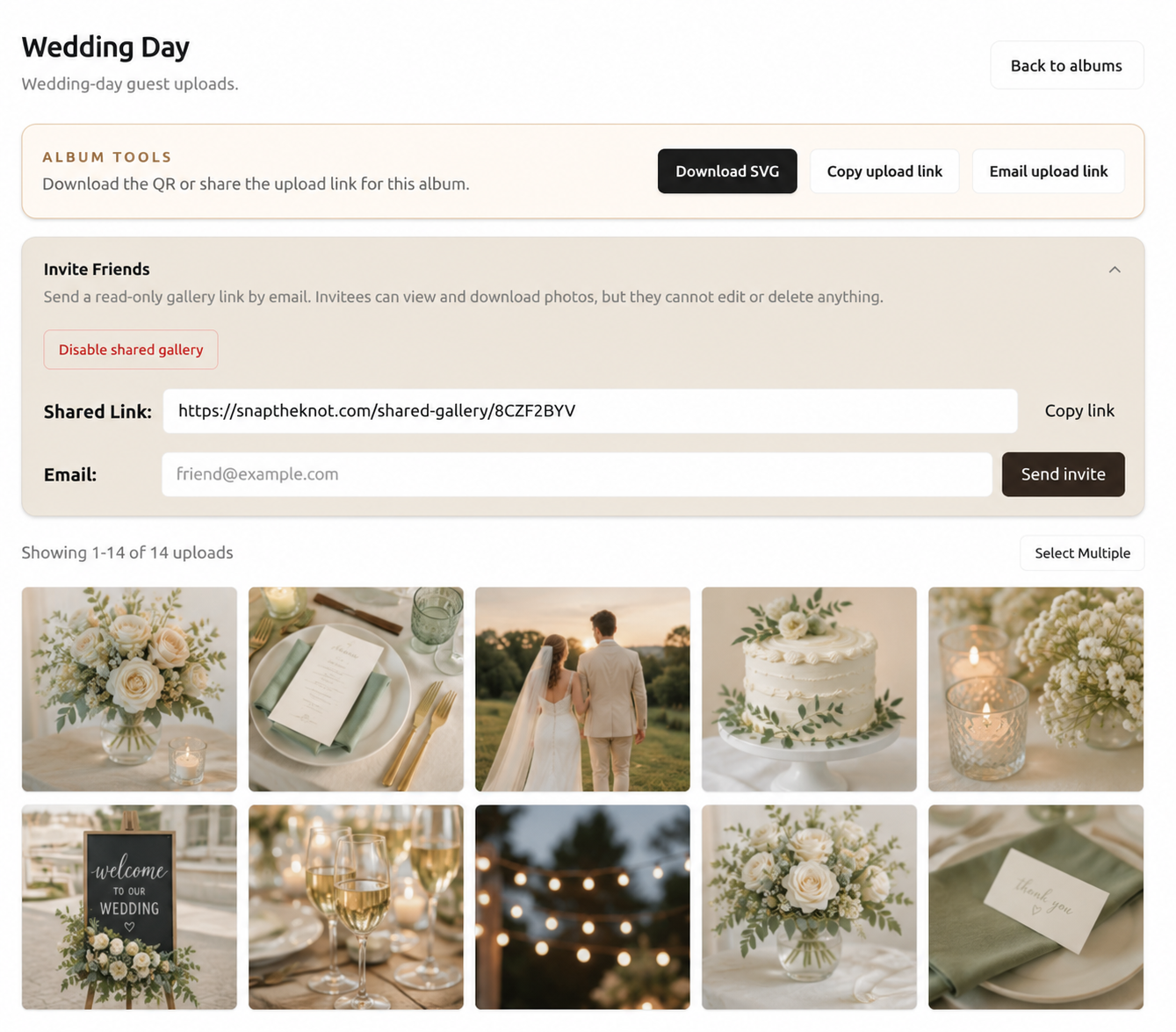
You keep every candid moment
All uploads land in one private gallery, ready to view, share, or download.
Made for your tables
Make your QR sign feel like part of the day.
Every gallery includes a customizable 5×7 sign template. Choose the background, wording, type style, and black or white text, then print it when it feels right.
Customize your 5×7 sign
Use the live customizer to choose a background, write your headline and message, set an accent color, and pick classic, modern, or wedding cursive type in black or white. Add the event date or upload URL, save your design, and print it at 5×7.
A look for every event
Each event gallery saves its own template, so your bridal shower sign can look different from your wedding-day sign.
Prefer them ready-made?
Order 10 printed 5×7 QR signs, personalized with your upload code and shipped free in the USA.
Share it anywhere
Download the QR code for invitations and larger signs, or send the same upload link by text or on your wedding website.
Couples are already collecting the moments guests capture.
1,154
Weddings created
47,917
Guest uploads collected
Wedding-day guarantee
Fewer than 20 photos? Get a full refund.
If guests upload fewer than 20 photos or videos on your wedding day, contact us and we will refund your package payment in full.
Ready to collect every guest photo and video from your wedding?
Create your private gallery in about 2 minutes.